

The process to adjust a Eppendorf Xplorer pipette requires great care and a high attention to detail. Please proceed at your own risk.
Shop our Eppendorf Xplorer Replacement parts here:
Step 1:
Toggle the Eppendorf Xplorer knob to ‘Opt’ (for Options)
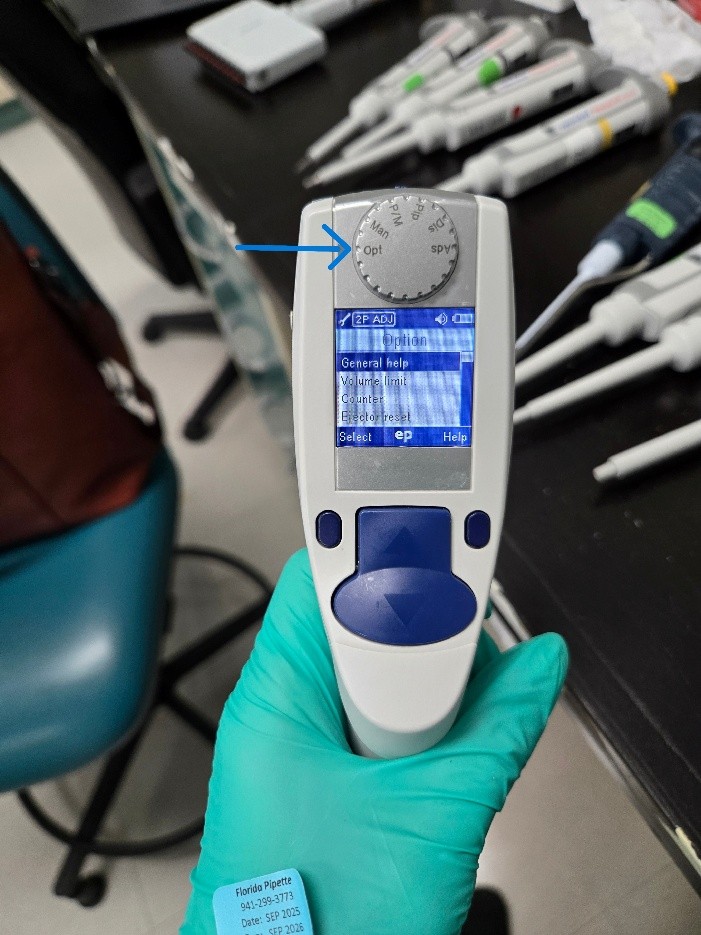
Step 2:
Use the up/down buttons to get to the ‘Adjustment’ option.
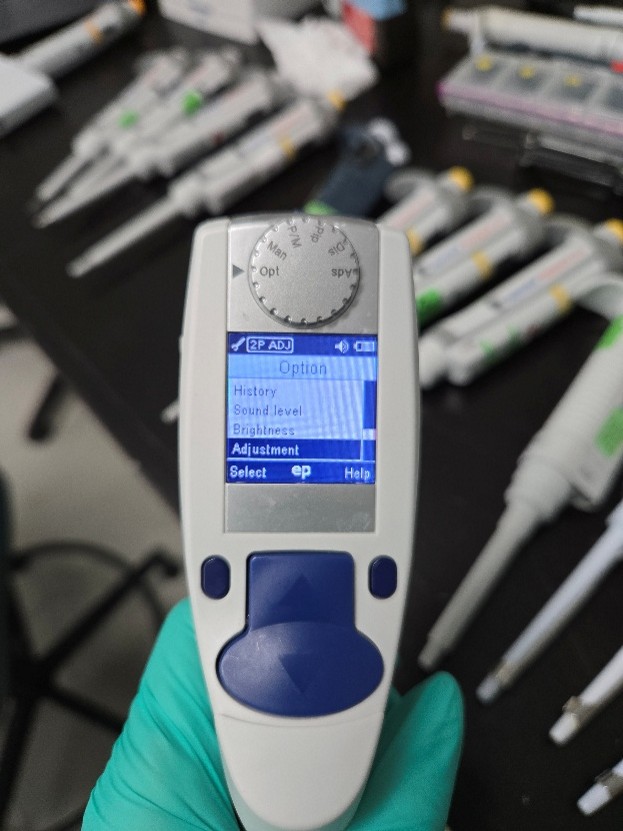
Step 3:
At this point you will have an option as to what type of adjustment you’d like to do. The options are 1-point, 2-point or 3-point. At this particular lab, they only needed testing at the high/low points so I selected 2-point adjustment.
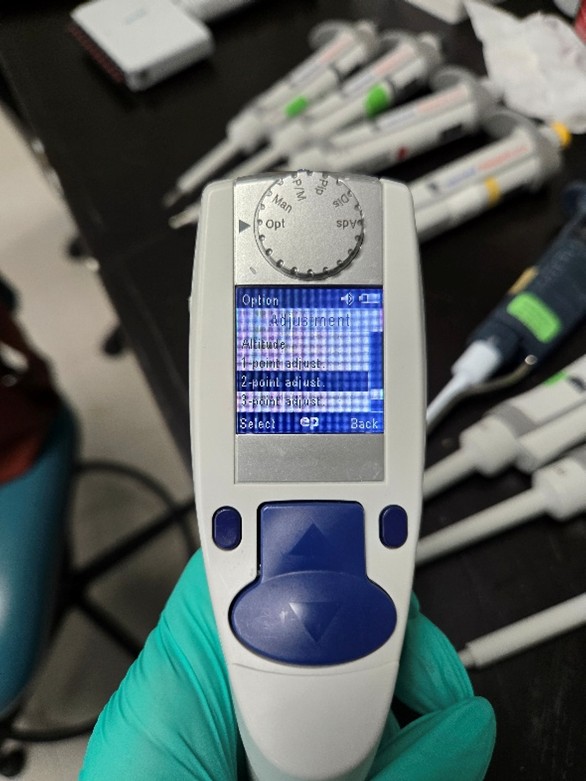
Step 4:
The first screen will ask you about the density of the water. You shouldn’t need to make any adjustments unless you are using something other than water. Click ‘Next’.
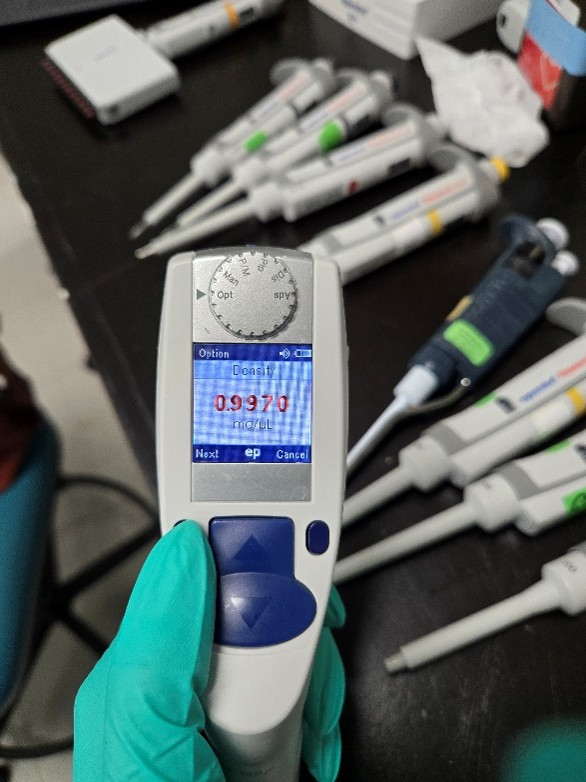
Step 5:
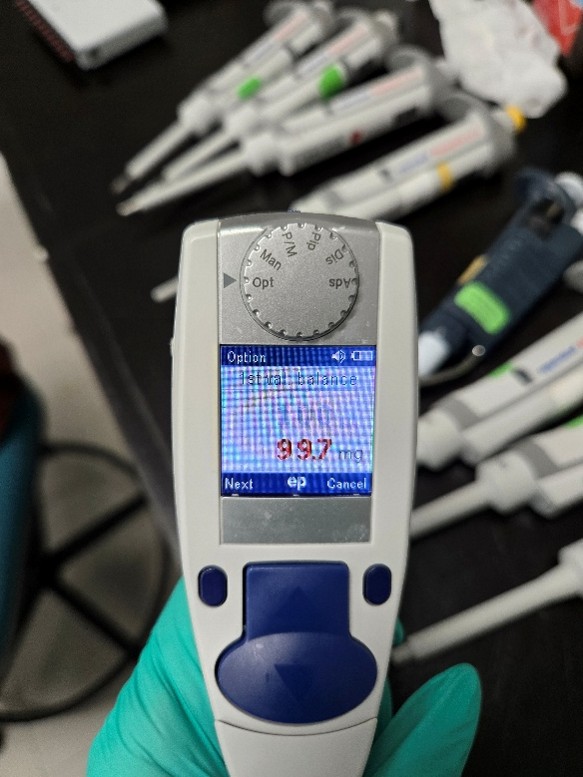
The next screen will show you what the volume should be and what it should be reading it mg. On a 2-point adjustment, the first volume it shows is the low reading. The volume will be in red. Click ‘Next’ and it will change the mg reading to red. Change the mg to what the pipette is currently reading at.
Example for a 1000ul: If your pipettes is reading at 89.0 at the low, set the mg reading to 89.0
Step 6:
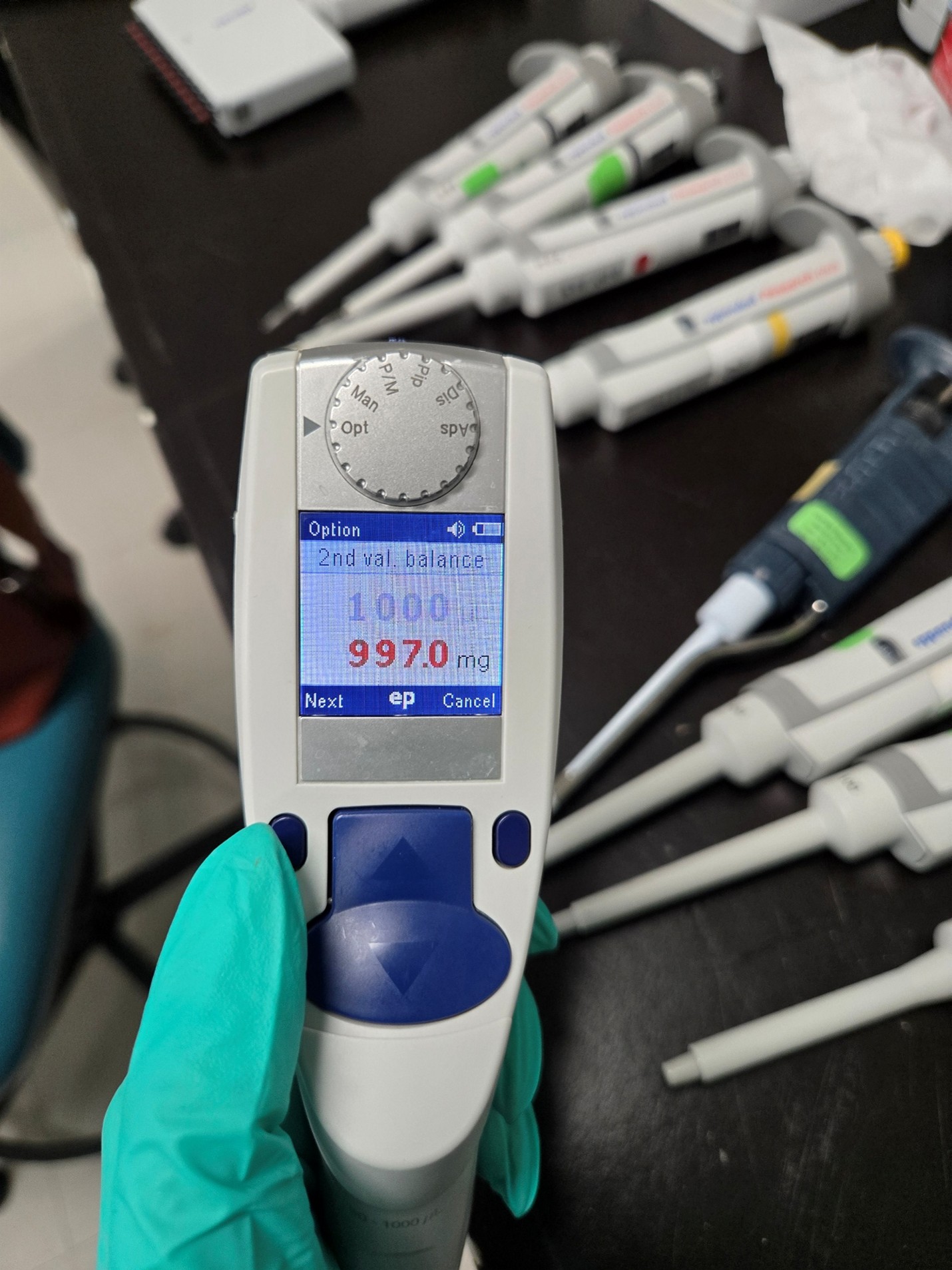
The next option will be the high reading. Click ‘Next’ to get to the mg option and adjust to what the high volume is actually reading.
Step 7:
Once you adjust both readings it will give you the option to save the changes. Select ‘Yes’ and change the knob back to ‘Pip’. Let the pipette sit for a little while before testing, just like you would for manual pipettes.
Related Posts:
The Reality of Electronic Pipette Calibration
Xplorer Battery Replacement Instructions
Pipette Calibration: Acronyms, Regulations & What They Really Mean
Disclaimer: Any action you take using the information on this website is strictly at your own risk. The information herein does not constitute professional advice and is general in nature. We make no warranty that this information will meet your requirements, be safe, accurate, or error-free. Pipette Supplies, Inc. is not responsible for any errors or omissions, any results obtained from the use of this information, or any loss or damage arising out of the use of this information. This site is for educational purposes only.
Fair Use: Copyright Disclaimer under section 107 of the Copyright Act of 1976, allows for “fair use” for purposes such as comments, criticism, teaching, scholarship, news reporting, and research.
Fair use is permitted by copyright statute that might otherwise be infringing.