

The process of calibrating Thermo Fisher Finnpipette Novus pipettes requires great care and a high attention to detail. Please dedicate a good work area with good lighting. Pipette damage may occur if attention to detail is not maintained. Please proceed at your own risk.
How to adjust a Finnpipette Novus electronic pipette. This will apply to the single and multi channel pipettes.
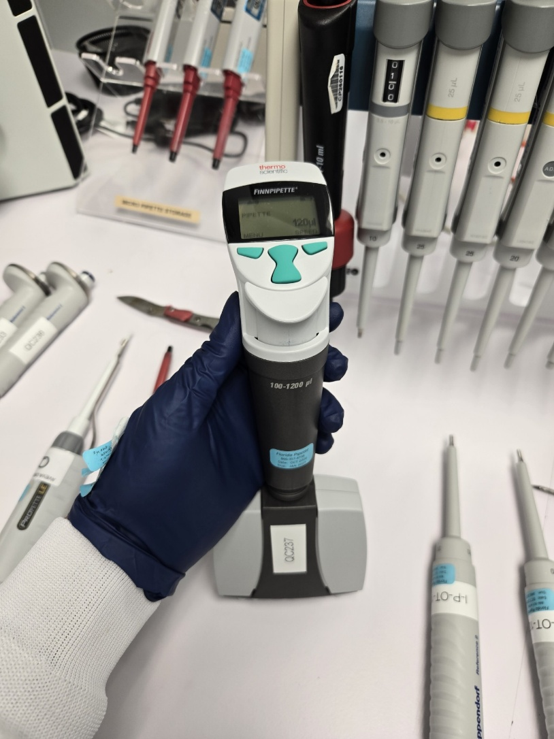
Step 1:
Access the option to calibrate by clicking on the menu button.
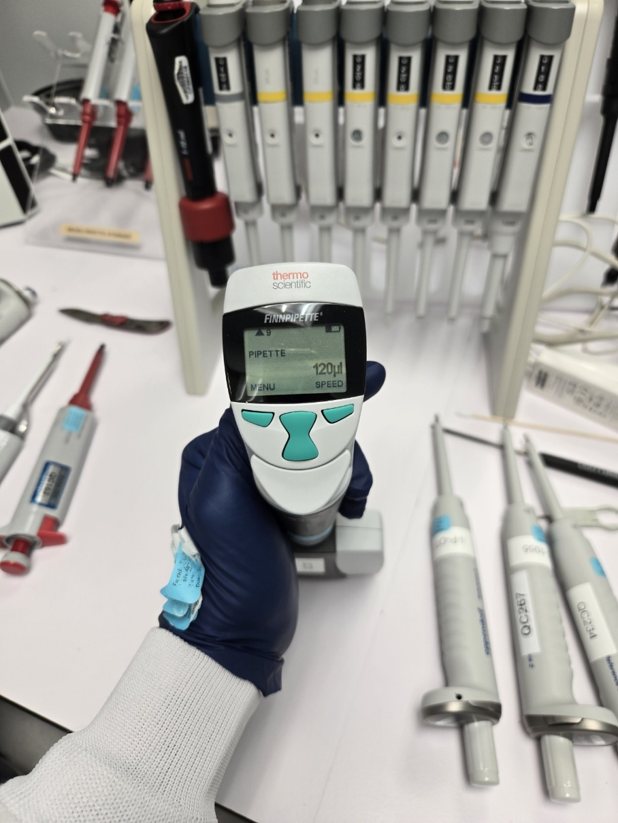
Step 2:
Move the down button until you reach the ‘Options’ and click ‘OK’
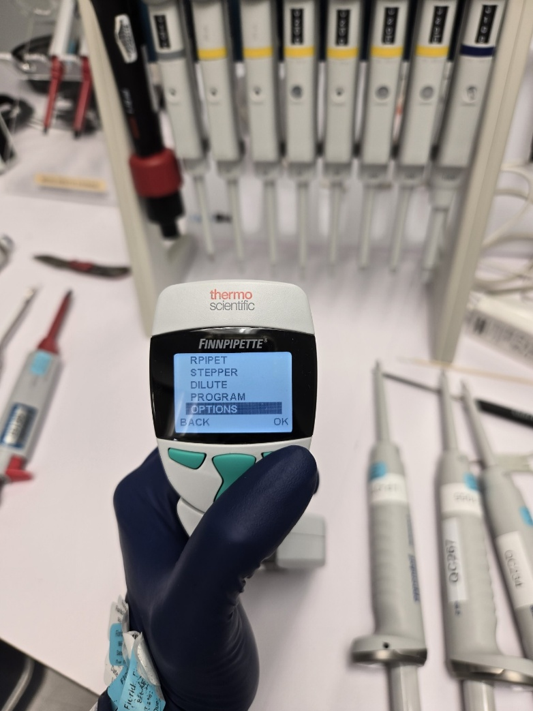
Step 3:
Move down until you reach the ‘Calibrate’ option and click ‘OK’
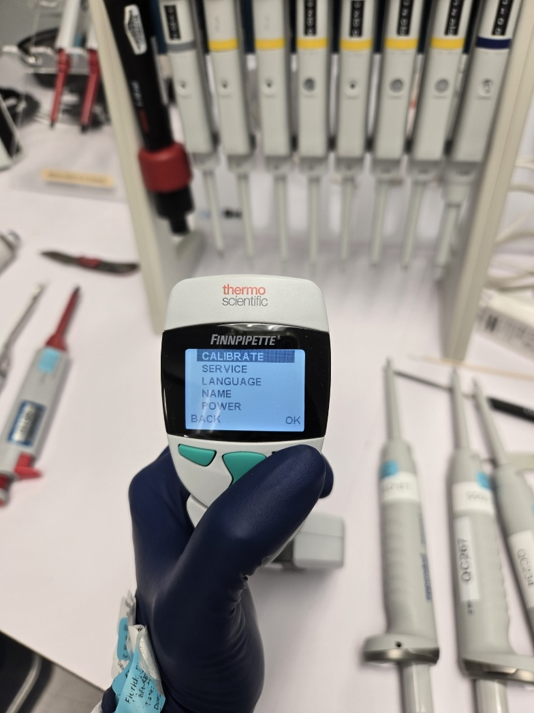
Step 4:
Select the ‘Two Points’ option by clicking ‘OK’
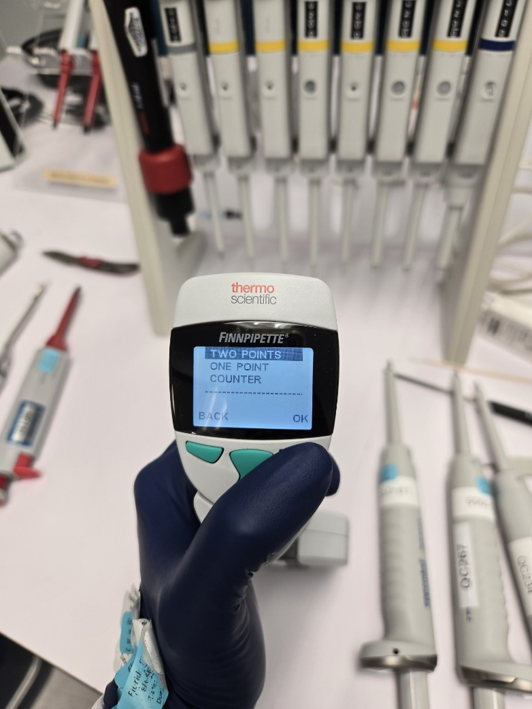
Step 5:
The next screen will show what the target volumes should be. Click ‘Edit to move to the next screen.
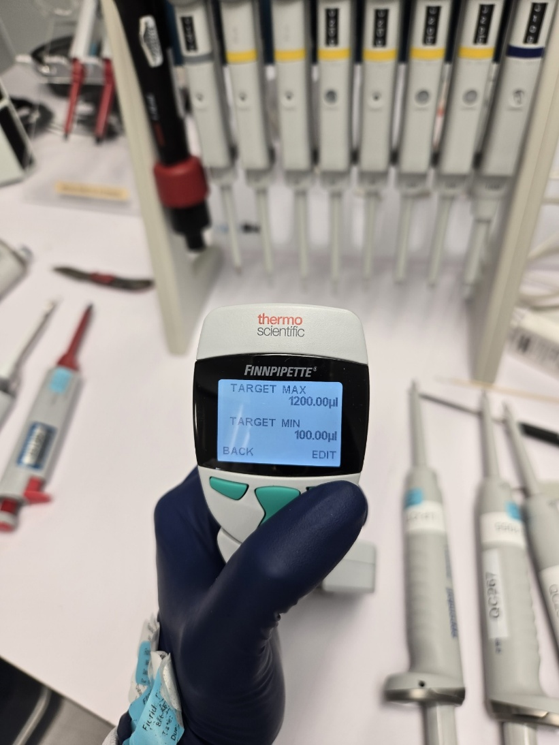
Step 6:
The next screen will show the actual volume. This is where you will edit to show what your actual readings are. You will edit ‘Actual Max’ first, then ‘Actual Min’. Click ‘OK’ when you are done adjusting the volumes on the screen. (The volumes are blinking on this screen. This picture happened to be taken during the blink)
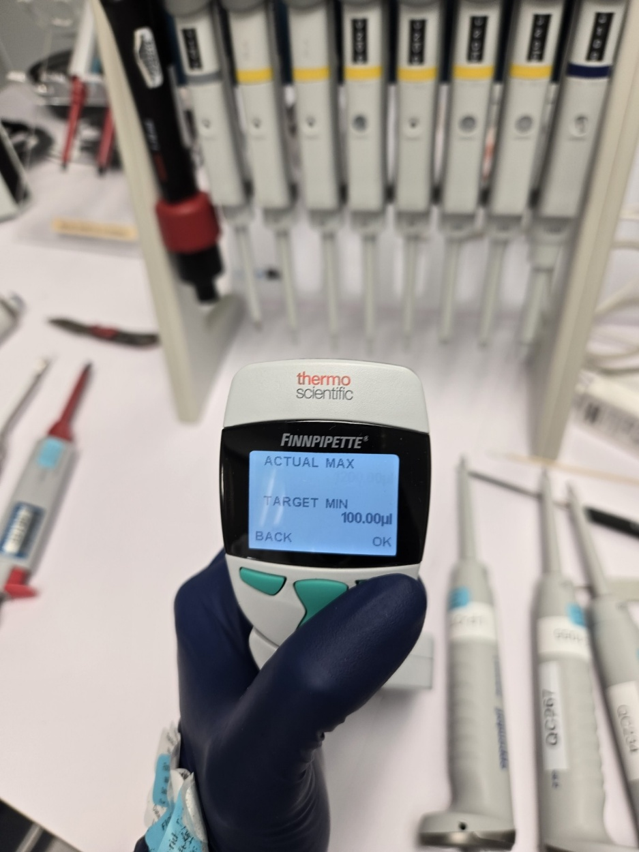
Step 7:
Click the ‘Save’ button
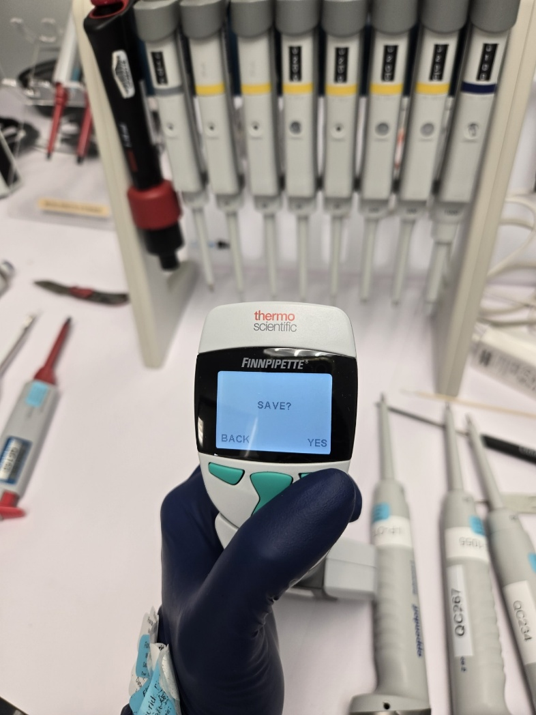
Related Posts:
Finnpipette Novus Error Codes
ThermoFisher/Finnpipette – Window Replacement
Pipette Calibration: Acronyms, Regulations & What They Really Mean
Disclaimer: Any action you take using the information on this website is strictly at your own risk. The information herein does not constitute professional advice and is general in nature. We make no warranty that this information will meet your requirements, be safe, accurate, or error-free. Pipette Supplies, Inc. is not responsible for any errors or omissions, any results obtained from the use of this information, or any loss or damage arising out of the use of this information. This site is for educational purposes only.
Fair Use: Copyright Disclaimer under section 107 of the Copyright Act of 1976, allows for “fair use” for purposes such as comments, criticism, teaching, scholarship, news reporting, and research.
Fair use is permitted by copyright statute that might otherwise be infringing.